Everyone plays at once
Each visitor plays on their own phone, so a crowd can play together instead of waiting for one shared screen. The same code can sit on a sign, a table tent or a booth screen loop.
QR code games for trade shows are branded browser games that visitors open by scanning a code with their phone camera. They scan, play a short round on their own phone, and your team gets an easy way to start a conversation. We build each game around your logo, colors and message.
Size your QR code
3 m (9.8 ft)
Make your code at least 30 cm (11.8 in) wide.
This uses the 10:1 rule: the code's width should be about one-tenth of the scanning distance. The code on the sign is real, so scan it with your phone to open the Blinko demo.
A QR code game is a branded game that opens on the visitor's own phone, so one scan is all it takes to start playing.
Each visitor plays on their own phone, so a crowd can play together instead of waiting for one shared screen. The same code can sit on a sign, a table tent or a booth screen loop.
The game opens in the phone's browser after the scan, so players can start right away. Your logo, colors and message are on the game from the first screen.
A score, a prize or a leaderboard rank gives your team something better to say than a cold pitch across the booth.
Most exhibitors go to shows for leads. Figures cited by Elation Digital say 72% of exhibitors attend mainly to generate leads, and that an average trade show lead costs about $112. A game does not replace a good pitch, but it gives people a reason to stop before you make it. Our gamification and branded game marketing statistics page covers the sources and how far each figure can be trusted.
Pick a game people can learn in about five seconds and finish quickly, so your line keeps moving. Open any game page to play a demo before you ask for a quote.
Showing at a year-end event? See Christmas Jigsaw Puzzle, Duck Carnival Shoot and our office Christmas party games. You can also browse every branded mini game.
Sign-up forms and leaderboards vary by game, so tell us what you need in your quote request. Not every game in our range includes a form as standard. For prize wheels, giant games or tabletop games, we pair them with a QR code sign-up at your booth. See all our branded games, our event lead generation games and our white label games.
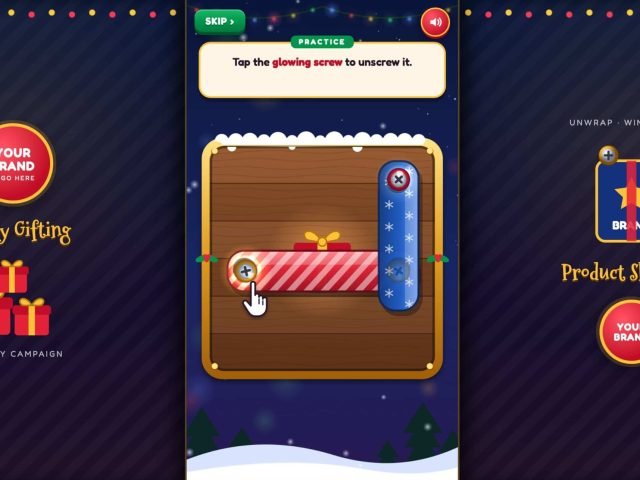
Players tap glowing screws to free stacked plates and unwrap as many Christmas gifts as they can in 60 seconds. A locked screw costs 2 seconds, so the top plates have to come off first.
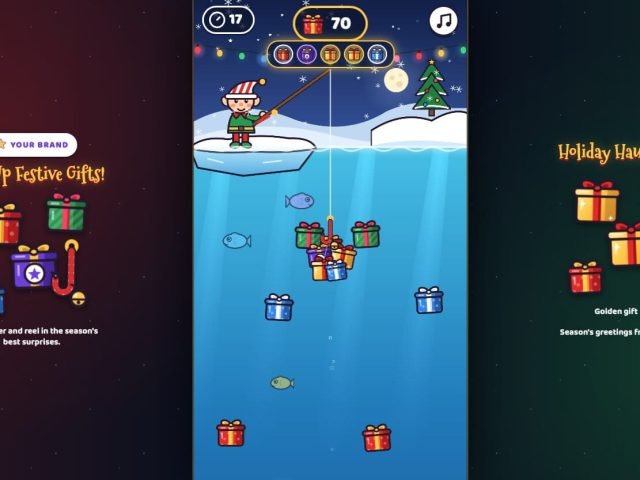
A 60-second Christmas fishing game that plays in the browser. Players cast a candy-cane hook, steer it into gifts and reel up as many as they can, while dodging junk.
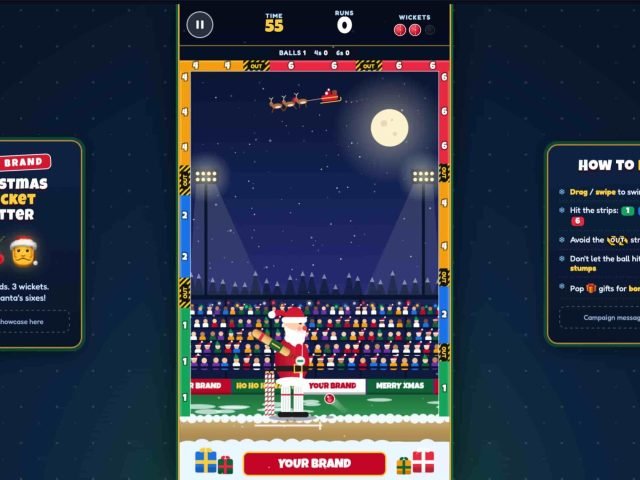
A 60-second Christmas cricket game. Players swipe to swing Santa's bat, hit the 1, 2, 4 and 6 strips and avoid the OUT strips before losing three wickets. Includes a leaderboard.
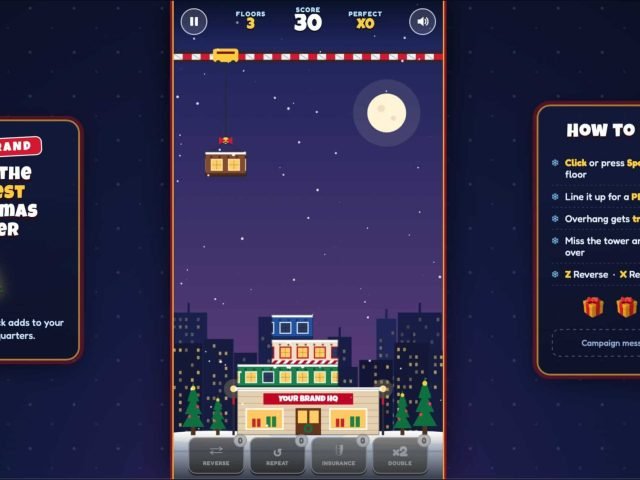
Players tap to drop floors from a swinging crane and stack them into the tallest Christmas tower. Near-perfect drops keep their full width, overhang gets trimmed, and a floor that falls ends the run.
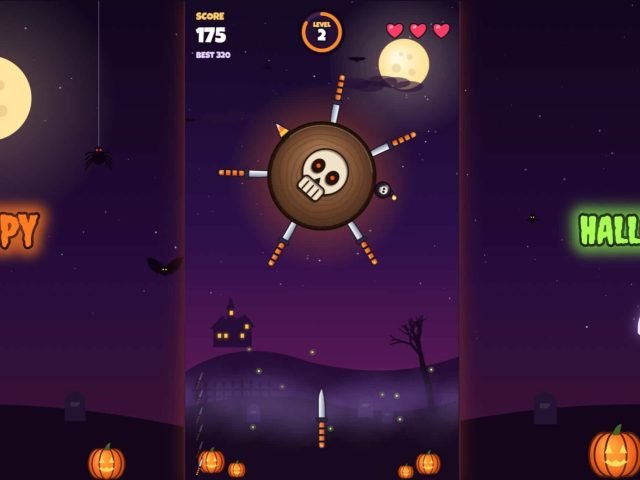
Tap to throw knives at a spinning Halloween board, dodge the knives already stuck in it and avoid the skull bombs. Land enough knives to break the board and move on to the next one.
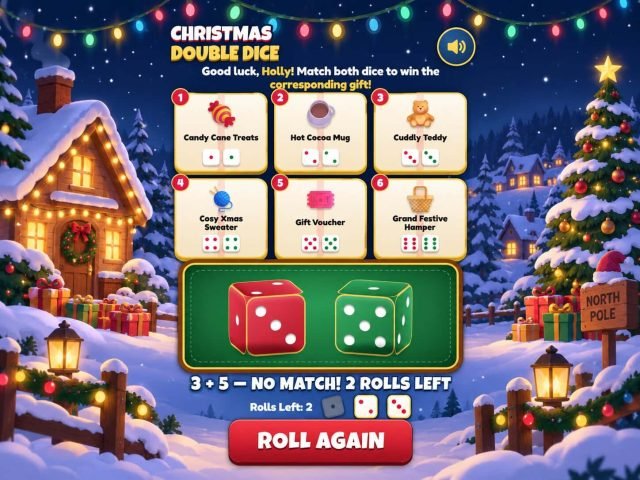
Players roll two dice and win a gift when both land on the same number. They get three rolls, and each double is worth a different prize you choose. It plays in any phone or desktop browser, with your logo, colors and message.
A visitor points their phone camera at your sign and taps the link that appears. There is no app to download.
The game opens in the phone's browser and a short round starts. Many of our games run about 60 seconds, and some are shorter.
The game can ask for a name and email, and you choose whether to show the form. A prize message or a leaderboard rank gives your team something to talk about.
Already have a show date? Put it in your request so we can plan around it.
Get a quoteVisitors decide in a few seconds whether to scan. Put the code where people pause, tell them what they get, and test it before the show opens.
Placement matters more than most exhibitors expect. A 2026 industry report from QR Tiger, a QR code vendor, found that 4 in 10 users had difficulty scanning QR codes, citing poor placement, camera limitations and unoptimized mobile pages.
Put the code where people queue or pause. A code high on a banner has to be very large to scan from the aisle, so use the size calculator at the top of this page.
"Scan to play for a prize" tells people what they get. "Scan me" does not.
Keep the code dark on a light background and leave a blank margin around it, so it is not lost among logos and photos.
Show a few seconds of gameplay, then the code and the prize. Show the code large, and test it from where visitors will stand.
Print a short web address under the code. If a visitor's phone cannot scan, they can type the link.
Convention halls can have patchy phone signal. Ask the venue about Wi-Fi, and test scans on mobile data before the doors open.
Run through these steps before the show opens, so the first visitor to scan gets a game that works.
Track plays, scans, the share of players who finish the sign-up form, replays per player, follow-up replies or meetings booked, and cost per qualified lead. These tell you more than any industry average. If scans are low, look at placement and load time first.
Choose a game and confirm any prize wording and redemption message.
Share your logo, colors and message, then approve the proof we send.
Decide whether to show it, what the consent wording says and where entries should go.
Scan it on iPhone and Android, in venue-like lighting, on mobile data and on Wi-Fi.
Use the size calculator, add a clear call to action and print a short fallback link.
Give everyone a ten-second pitch and agree how prizes are handed out.
Decide who emails, when, and what the message says.
Sources: QR Code Generator, QR code scanning distance; Bitly, a guide to QR code scan tracking; QR Code Generator, QR code usage statistics for 2026 (including the Microsoft Threat Intelligence phishing figure); QR Tiger, 2026 QR code industry report; Elation Digital, trade show lead generation ideas in 2026. Several of these sources sell QR code or event-marketing services, so treat their figures as direction, not benchmarks.
A QR code game is a browser game that players open by scanning a QR code with their phone camera. Branded versions carry your logo, colors and message, and some include a sign-up form or leaderboard.
No. QR code games for trade shows open in the phone's browser after the scan, so players can start right away.
Use the 10:1 rule: the code's width should be about one-tenth of the scanning distance. A code scanned from arm's length needs to be about 3 cm wide, and one scanned from 3 m needs to be about 30 cm. Treat 2 x 2 cm as the minimum for print.
About a minute works well on a busy floor. Short rounds keep the line moving and let more visitors play. Many of our games run about 60 seconds.
Yes. Many of our games can ask for a name and email, and you choose whether to show the form. Not every game includes a form as standard, so tell us what you need in your quote request.
For a trade show, a dynamic code is usually the better choice. You can change the destination without reprinting and see scan counts. Make sure the redirect stays active for as long as the code is in use.
It depends on the game and how much customizing you need. Because we start from finished games, there is no ground-up build cost. Tell us your budget range in the quote form and we'll suggest options that fit.
Our games start from proven formats, so they can be branded quickly. Send your show date with your request and we'll confirm what timeline is realistic.
Yes. Each game page has a playable demo, so you can see how it feels before you request a quote.
Tell us about your event, your audience and your budget. We'll come back with games that fit.